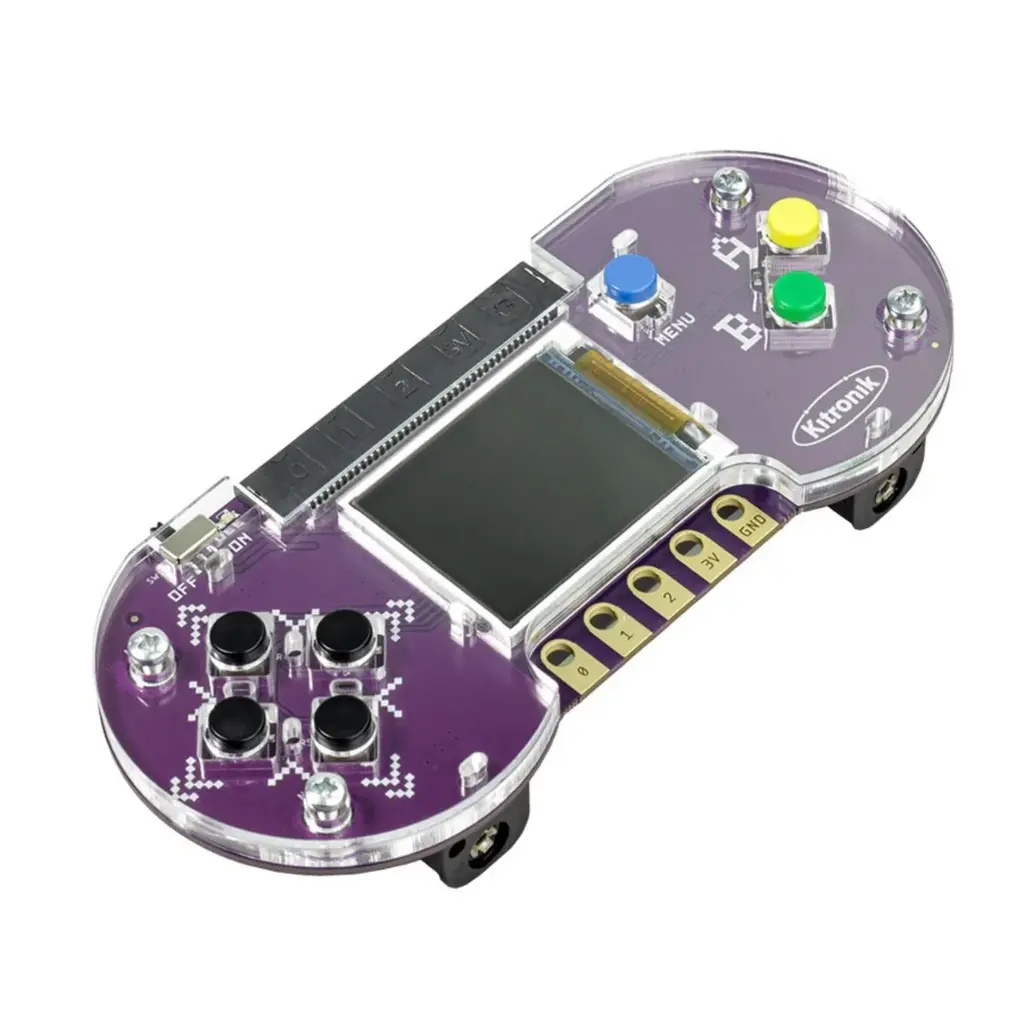
The Kitronik ARCADE for BBC micro:bit and MakeCode Arcade is a portable gaming platform specifically designed for use with the BBC micro:bit and the MakeCode Arcade editor. You can write your own games and play them on Arcade, or download existing games. The MakeCode Arcade editor is a great way to learn programming. It features simple blocks that you can combine, allowing you to build simple games in just a few minutes. The editor is designed for everyone, from beginners to experienced gamers, to create games that can be played in the browser or on handheld consoles. It consists of blocks that you can drag and drop to form programs. You can also write your code in JavaScript and Python!
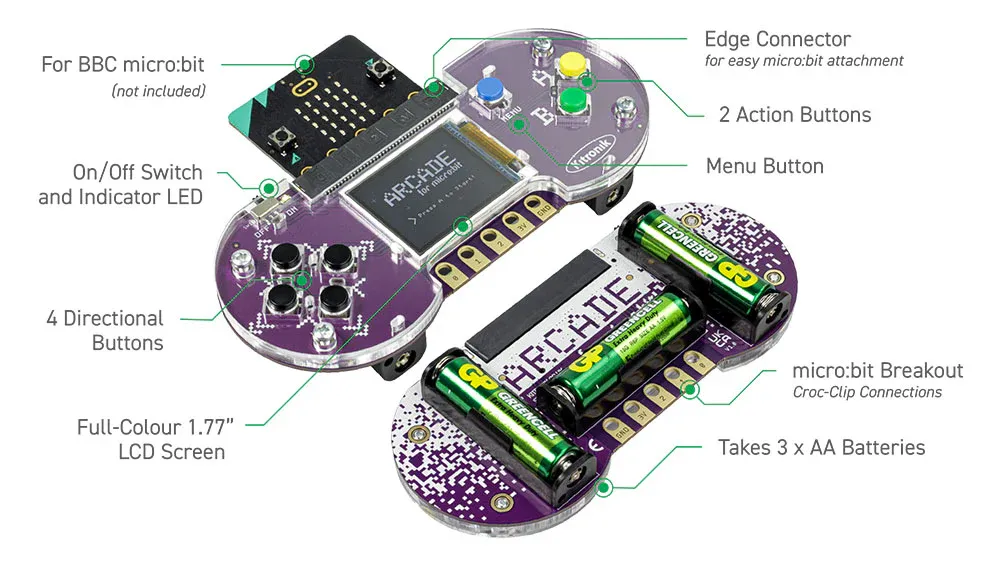
The board is equipped with 4 directional buttons (d-pad), 2 interactive action buttons for programming, a menu button, and a 1.77-inch colour screen. At the bottom of the BBC micro:bit Arcade, there are 5 connection points with crocodile clips for connecting additional switches and devices. These consist of the 3 BBC micro:bit pins (P0, P1, and P2), a power pin, and a ground connection (the same connections as the large connection points on the BBC micro:bit). This allows the gamer to be expanded with custom accessories. Sound is provided through the built-in sound card of the BBC micro:bit.
The emphasis of MakeCode Arcade is on learning/education, and there is a wealth of resources available on the MakeCode Arcade website to facilitate this. There are: guided tutorials that help you create simple games, more complex games that you can open and learn from, games written by community members that you can learn from, tutorials on game concepts, tutorials on graphic design and mathematics, lesson plans, CS courses, printable code cards for the classroom, video tutorials, and much more!
The Kitronik ARCADE for micro:bit does NOT come with amicro:bit; this is available separately.